Drop it in
Whatever form it arrived in is the form you hand over. Nothing to retype, nothing to tidy up first, and no separate app to open.
Drop it in.
Cue sorts it.
Paste the text, photograph the flyer, pick the screenshot, or say it out loud. Cue hands back the events, tasks and notes it found, ready for you to confirm.

7 days free, then $5.99 a month or $39.99 a year in the US; local prices are shown in the App Store. Anyone you invite uses the Loops you share with them free.
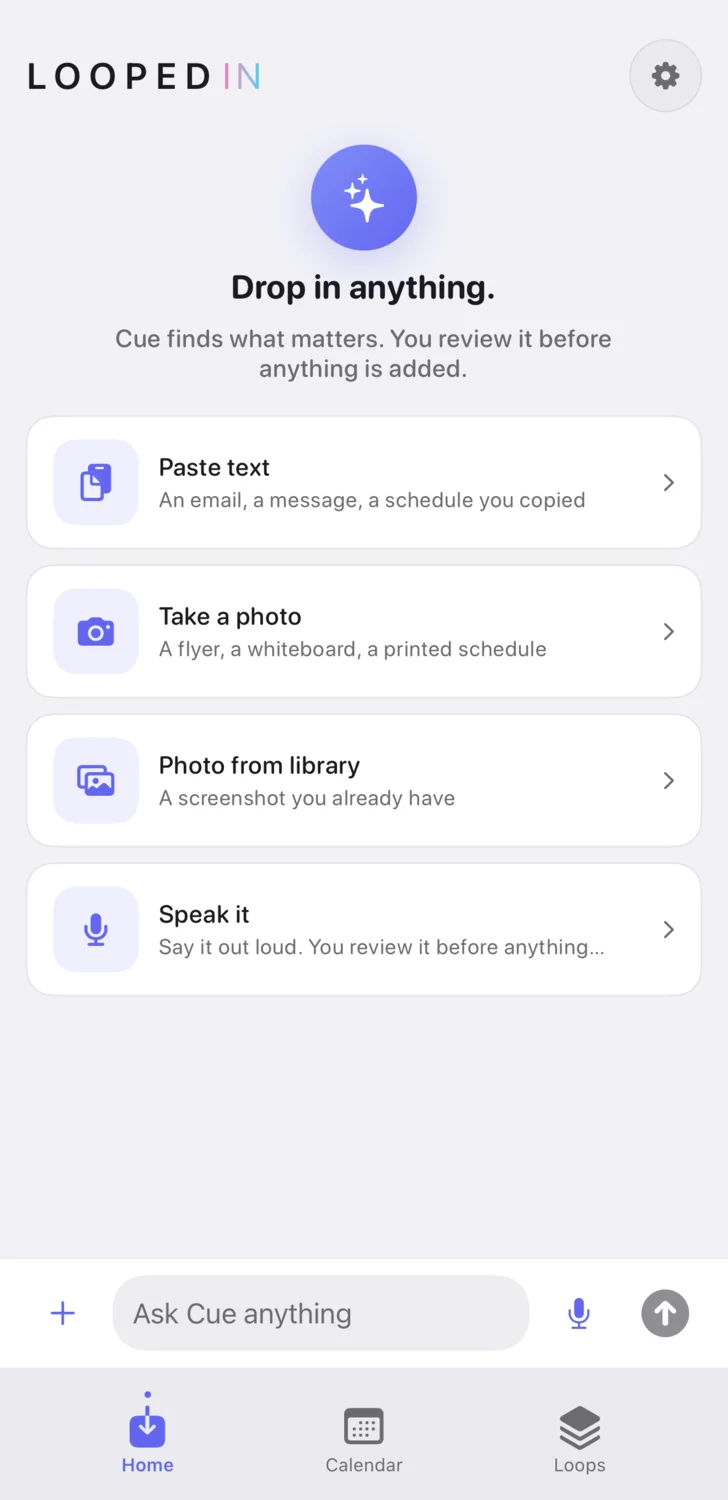
Cue proposes. You confirm. Nothing is created, changed or removed without you.
Whatever form it arrived in is the form you hand over. Nothing to retype, nothing to tidy up first, and no separate app to open.
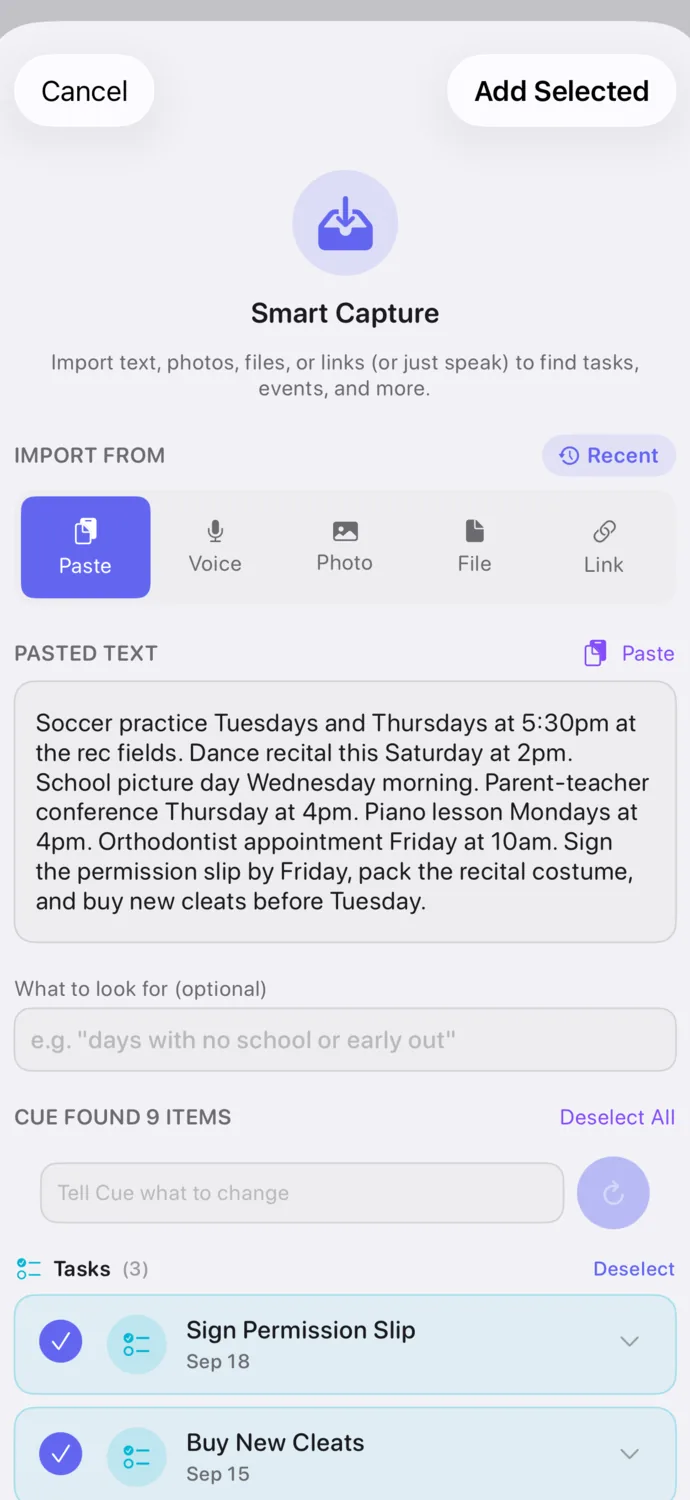
Cue reads it and comes back with the events, tasks and notes it pulled out, already filled in. Fix a time, rename a thing, drop anything you did not want.
Save, and it is in the Loop you chose. Flip the switch on an event and it is on your iPhone calendar too. An Undo button stays on screen for sixty seconds in case you change your mind.
The messier the thing you hand over, the more it saves you. Speech is transcribed on your phone, where the audio stays.
A Loop is one real context: a rowing season, a robotics team, the neighbors on your street. Each one holds its own dates, its own jobs and its own notes, so the season's schedule never lands in the middle of the family's list.
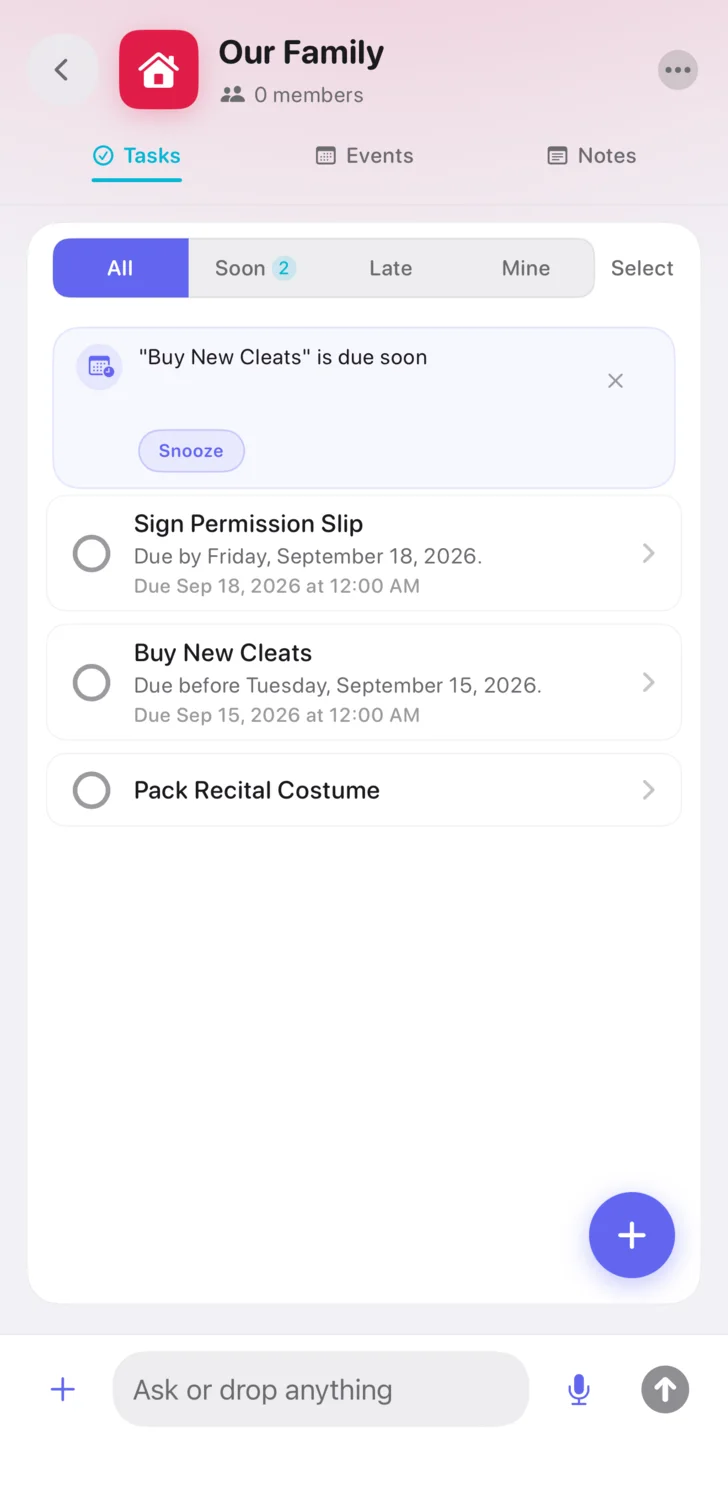
Repeating events edit the way you expect, this one or all of them. Tasks carry an owner and a due date. Notes hold everything that is neither.
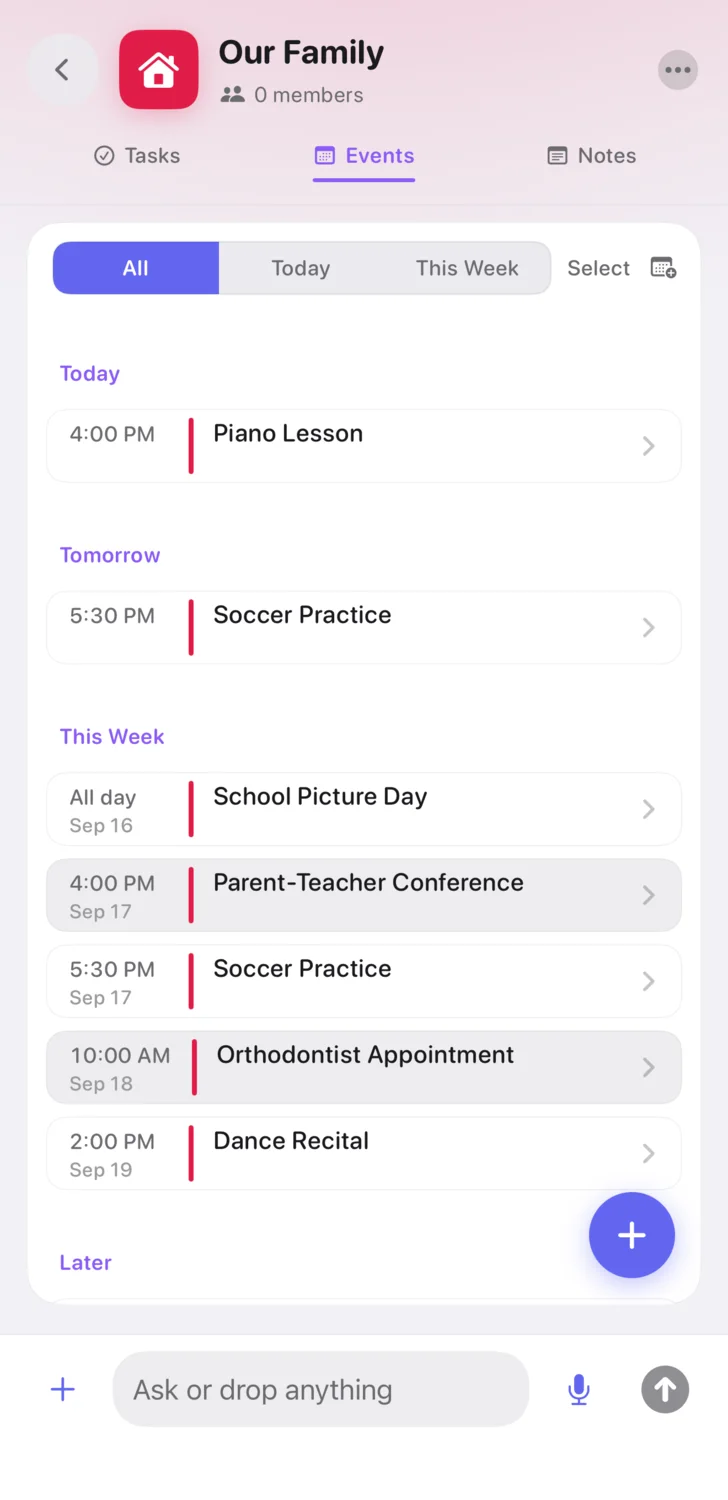
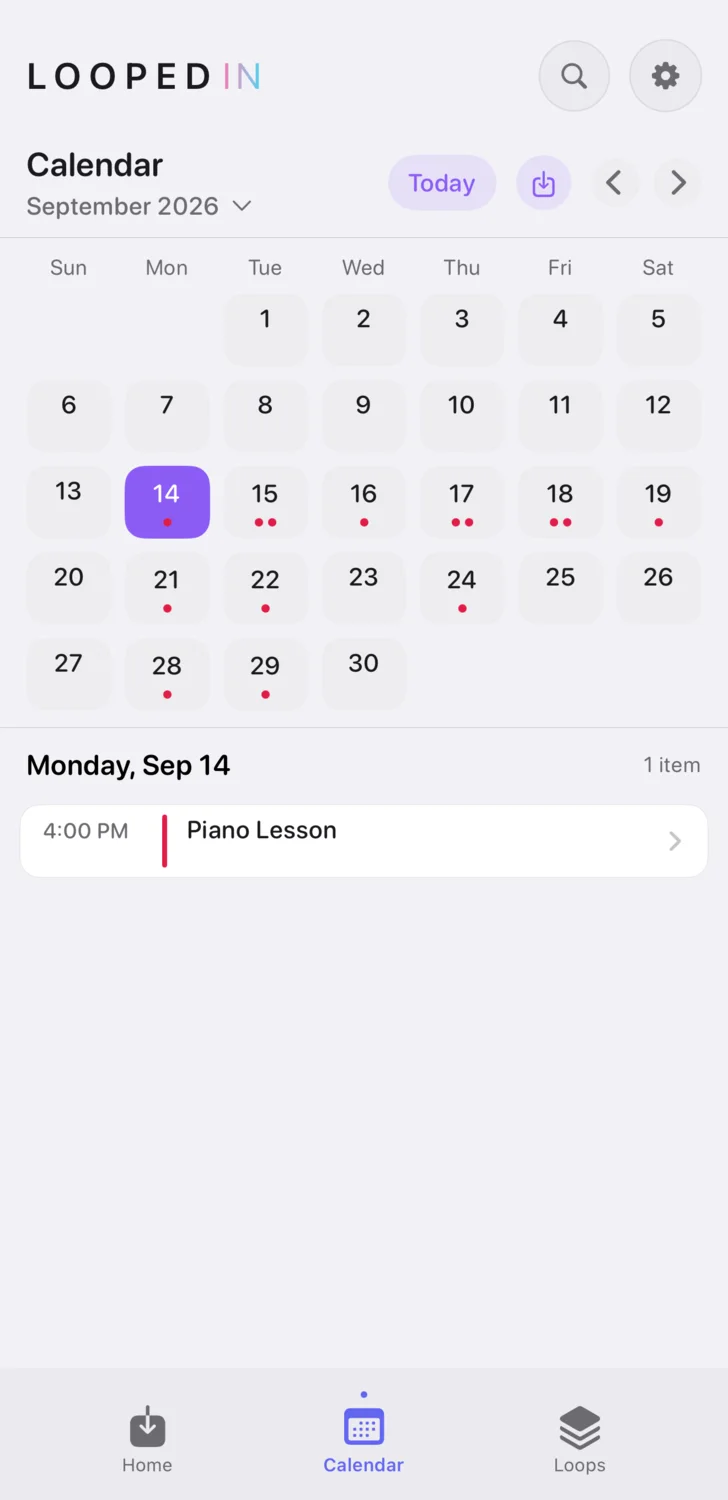
Every Loop's events gather on one calendar inside the app, so a single screen answers what is happening this week across all of it.
And when Cue shows you an event it found, the card carries a switch that puts it on your iPhone calendar, or on Google Calendar once you connect it, next to everything else in your day. Change your mind and Undo takes out everything the capture added.
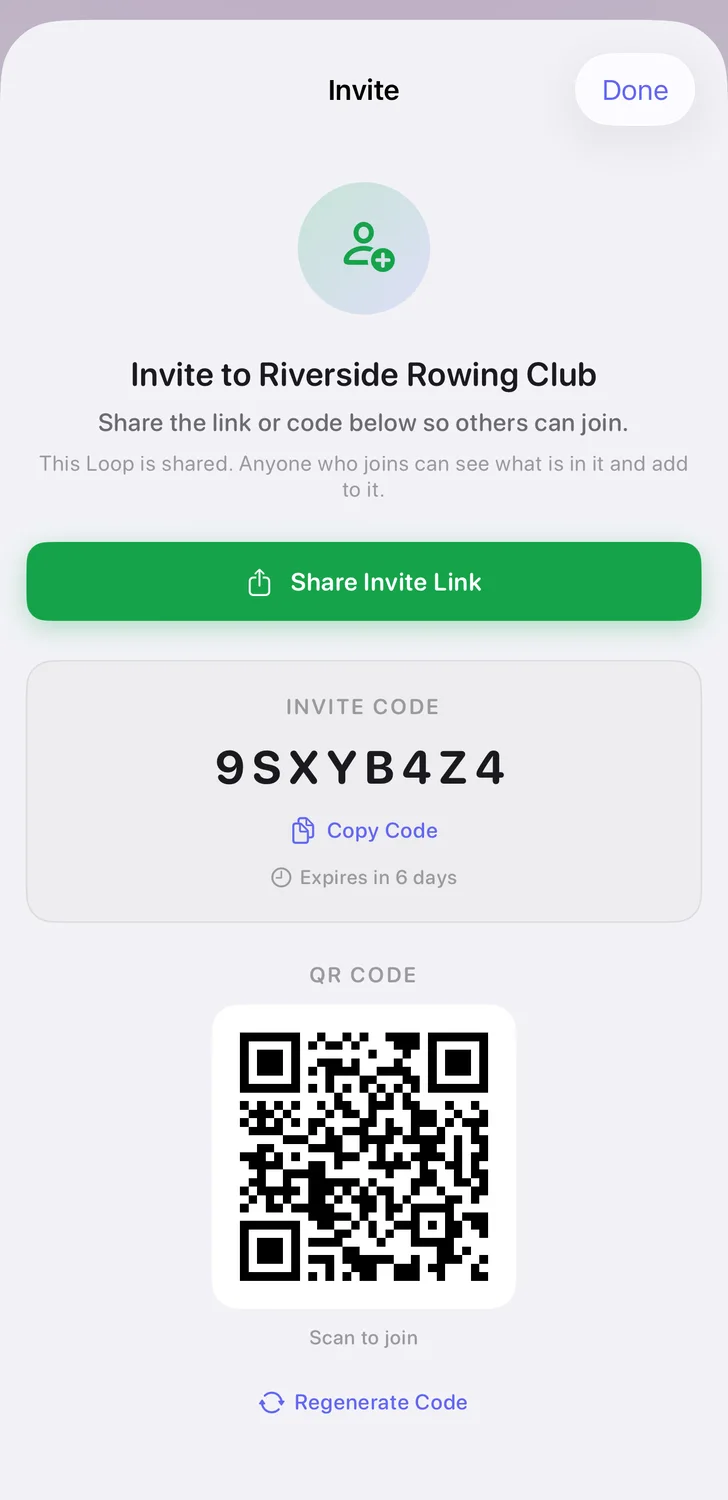
Open the Loop menu, tap Invite People, send the link or read out the code. Anyone you invite uses the Loops you share with them free: they see those Loops and add, change and finish their events, tasks and notes without a subscription of their own, for as long as they are a member. Starting Loops of their own is Looped In Plus, the same for them as for anyone.
Nobody pays to be in a Loop you share with them, and there are no ads on any plan.
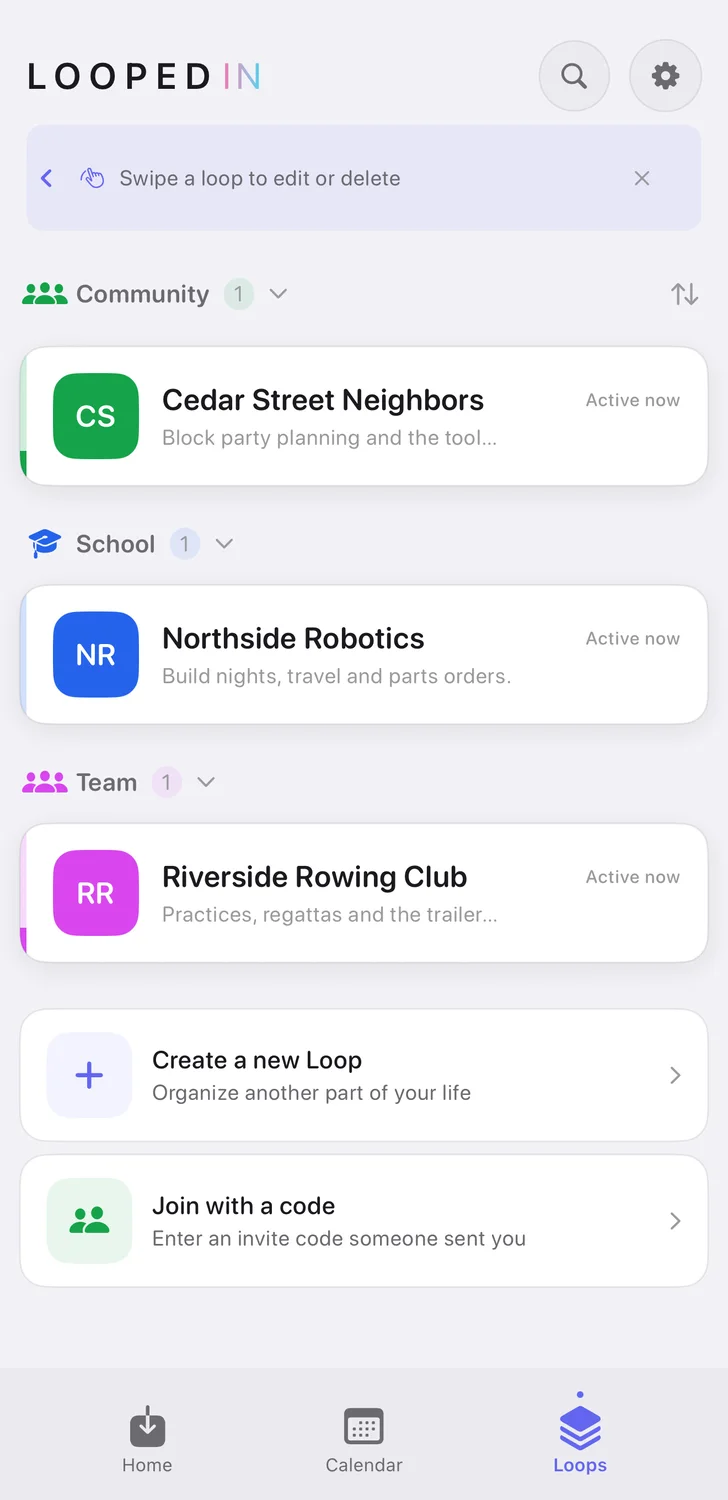
A season. A class. A trip. A committee. The people on your street. Start a Loop for each part of life and each one keeps its own color, its own people and its own dates.
Looped In does not ask you to pick a category for your life. The app is the same for everyone; Cue is what makes it yours. There are pages for families, teams and groups if you want to see yours.
Practice, the recital, picture day, the conference, the lesson, the appointment, and the two things somebody has to remember to do. One place, and everyone who needs it can see it.
Notes hold the rest: the gate code at the field, the costume the studio wants. Photograph the flyer or paste the message and Cue fills the week in. Invite the other parent and they use the Loops you share with them free.
Looped In Plus covers starting your own Loops, saving what Smart Capture finds, asking Cue, switching an event to your calendar, and 50 Smart Captures a day. Working together in the Loops you share is free.
Yearly
$39.99 / year
Works out at $3.33 a month, billed once a year.
Monthly
$5.99 / month
Billed every month. Cancel whenever you like.
More in the FAQ, or email support@loopedinapp.io. A human reads every message.
One run at one thing you dropped in: a paste, a photo, a screenshot from your library, or something you said out loud. Cue reads it and shows you the events, tasks and notes it found. Without a subscription you get three of those a day. A capture counts once Cue has read it, even if it finds nothing to add.
Your saved Cue conversations and memory are stored in our cloud encrypted with a key kept in your iPhone's Keychain, which syncs through iCloud Keychain if you use it. To answer you, Cue does have to read your message, so it passes through our server to OpenAI as ordinary text. Speech is transcribed on your device and the audio never leaves your phone.
We do not sell your personal information and we do not build advertising profiles. The whole AI layer has an off switch in Settings.
The free trial is the App Store's, and Apple offers it to eligible new subscribers when they subscribe. When it ends, your Apple account is charged $5.99 for the month or $39.99 for the year, whichever you chose, and it renews until you turn it off. Cancel at least 24 hours before the trial ends and you are not charged at all.
The free first week every new account gets is separate: it needs no card, and nothing is charged when it ends.
No. Anyone you invite uses the Loops you share with them free: they see those Loops and can add, change and finish their events, tasks and notes without a subscription, for as long as they are a member. Starting Loops of their own is Looped In Plus, the same for them as for anyone.
Looped In is an iPhone app built for a recent version of iOS. The App Store page lists the exact requirement and tells you before you install.
Subscriptions are billed through your Apple account, so you cancel on your iPhone in Settings, under your Apple ID, then Subscriptions. You keep what you have paid for until the end of that period.
One app for every part of life, and an AI that does the sorting instead of asking you to.
Short, practical guides to the jobs Looped In does today.
A practical method for pulling a family's dates out of five apps and group threads into one place, and keeping them there through a season.
Photograph a paper notice and get the date, the time and the thing you have to bring, without typing it. How to shoot paper so it reads cleanly.
The coach sent the whole season as one message. Here is how to turn it into dated events, including the repeating practices, without typing any of it.
None of these are in the app yet. Tap the one you would actually use and it moves up the list.
See what each one does, or tell us what is missing. A human reads every message.